Best Wireless Scanner for Home Office (2026): Wi-Fi Duplex ADF Picks
TL;DR — Our Top 3 Picks
| Pick | Model | Price | Best For | Key Spec |
|---|---|---|---|---|
| Our Pick | Fujitsu ScanSnap iX1600 | $279.99 | Fast duplex scanning + cloud automation | 30 ppm / 60 ipm duplex, 50-sheet ADF, Wi-Fi + USB |
| Best Budget | Epson WorkForce ES-580W | $379.99 | Higher capacity + color receipt handling | 35 ppm / 70 ipm duplex, 100-sheet ADF, Wi-Fi + USB |
| Best Premium | Brother ADS-3300W | $475.64 | Maximum speed + enterprise features | 40 ppm / 80 ipm duplex, 50-sheet ADF, Wi-Fi + USB |
Prices shown as of April 2026. Click through to Amazon for the current price.
What YouTube Reviewers Found

Elite Reviews — 1,003+ views · posted 2 years ago. In-depth review covering setup, real-world use, and build quality.
What YouTube Reviewers Found

SMPostcards — 20,239+ views · posted 3 years ago. In-depth review covering setup, real-world use, and build quality.
What YouTube Reviewers Found

Sean Dillman — 117,905+ views · posted 5 years ago. In-depth review covering setup, real-world use, and build quality.
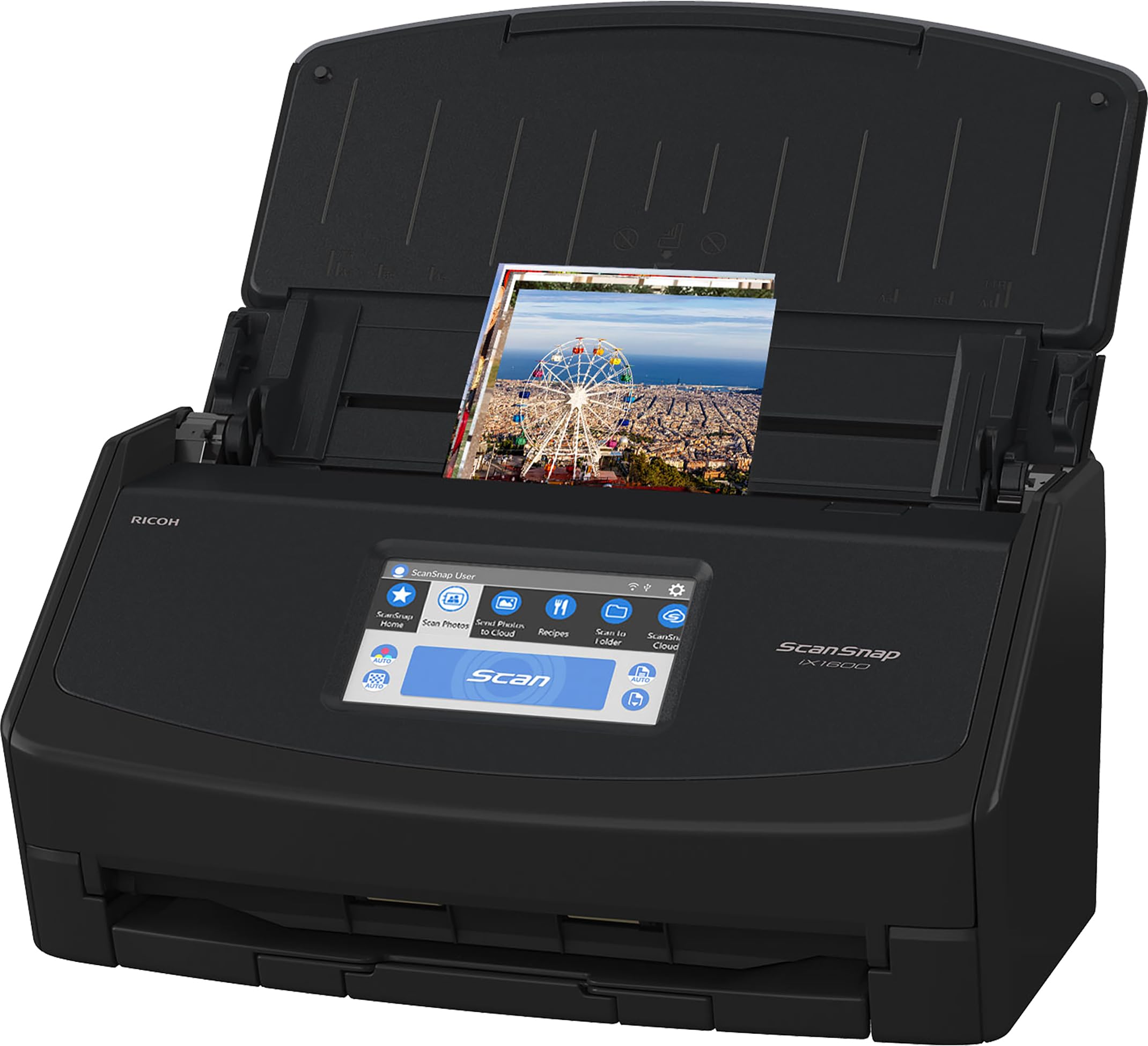
Fujitsu ScanSnap iX1600
$279.99The iX1600 balances speed (30 ppm / 60 ipm duplex), Wi-Fi connectivity, and genuine cloud automation via ScanSnap Cloud. ScanSnap Cloud events fire immediately when a scan completes, enabling real-time routing to Dropbox, Google Drive, or OneDrive without manual intervention. Bundled OCR and a 3.7-inch touchscreen make it the most automation-friendly choice under $300.
What you get
- Wi-Fi + USB dual connectivity
- 30 ppm / 60 ipm duplex ADF scanning
- ScanSnap Cloud integration (instant cloud routing)
- Bundled OCR + searchable PDF creation
- 50-sheet ADF capacity
- 4.6-star rating across 3,000+ reviews
The tradeoff
- Smaller 50-sheet ADF (vs. Epson's 100)
- Slower than Brother (40 ppm) by 10 ppm
- ScanSnap Home SDK requires developer agreement (not free)
- Touchscreen smaller than Epson (3.7" vs. 4.3")
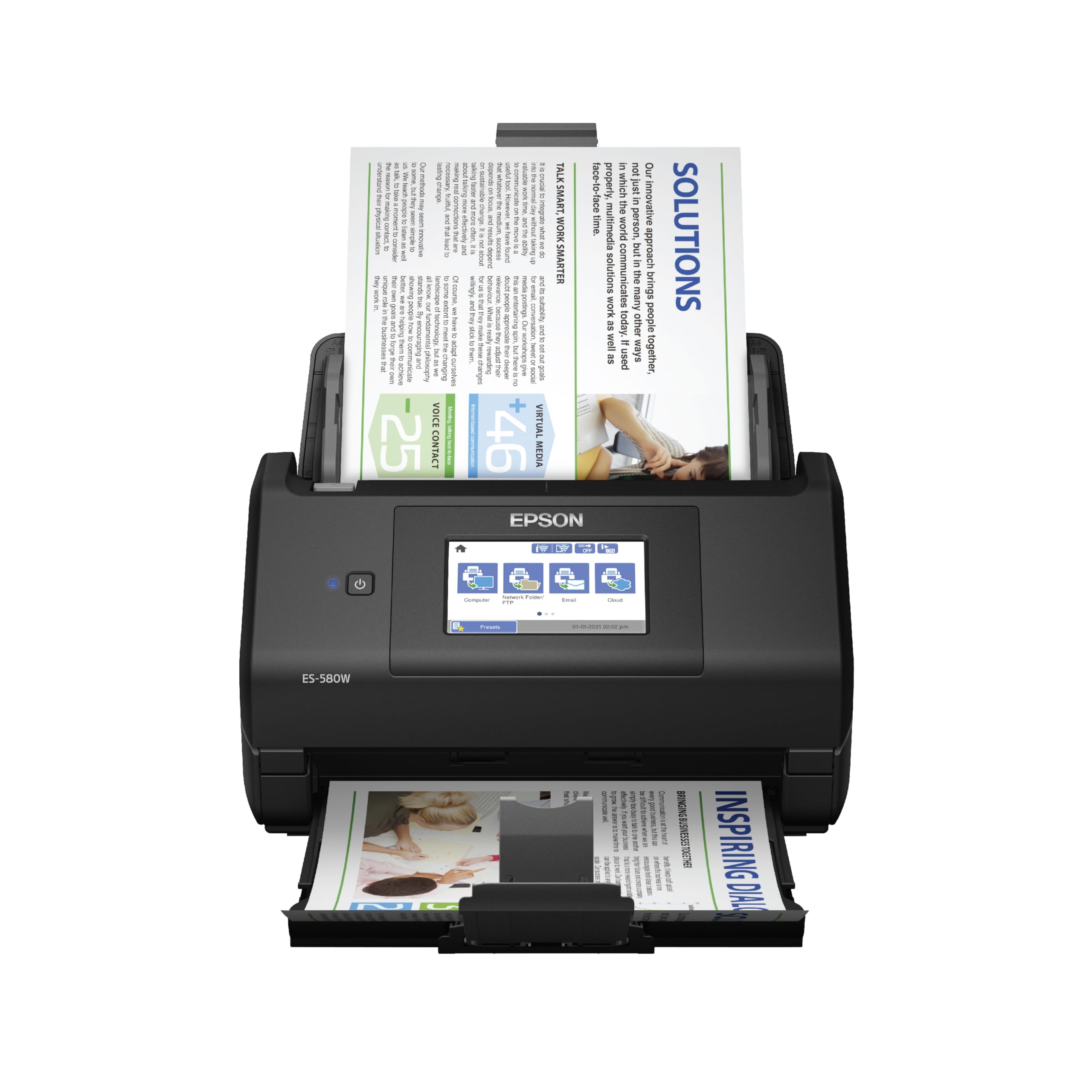
Epson WorkForce ES-580W
$379.99The ES-580W delivers 35 ppm / 70 ipm duplex speed with a generous 100-sheet ADF—the largest capacity in this comparison. Document Capture Pro on Windows exposes a CLI for PowerShell or Python automation workflows. Its 4.3-inch touchscreen and strong receipt/photo handling make it ideal for home offices handling mixed document types at higher volume.
What you get
- 35 ppm / 70 ipm duplex (faster than Fujitsu)
- 100-sheet ADF (largest capacity here)
- Document Capture Pro with Windows CLI support
- 4.3-inch color touchscreen (biggest display)
- Strong color receipt + photo scanning
- Epson Connect cloud routing options
The tradeoff
- 5 ppm slower than Brother's 40 ppm
- Document Capture Pro CLI requires Windows (macOS limited)
- Automation stack less intuitive than ScanSnap Cloud
- Higher price than Fujitsu ($100 more)
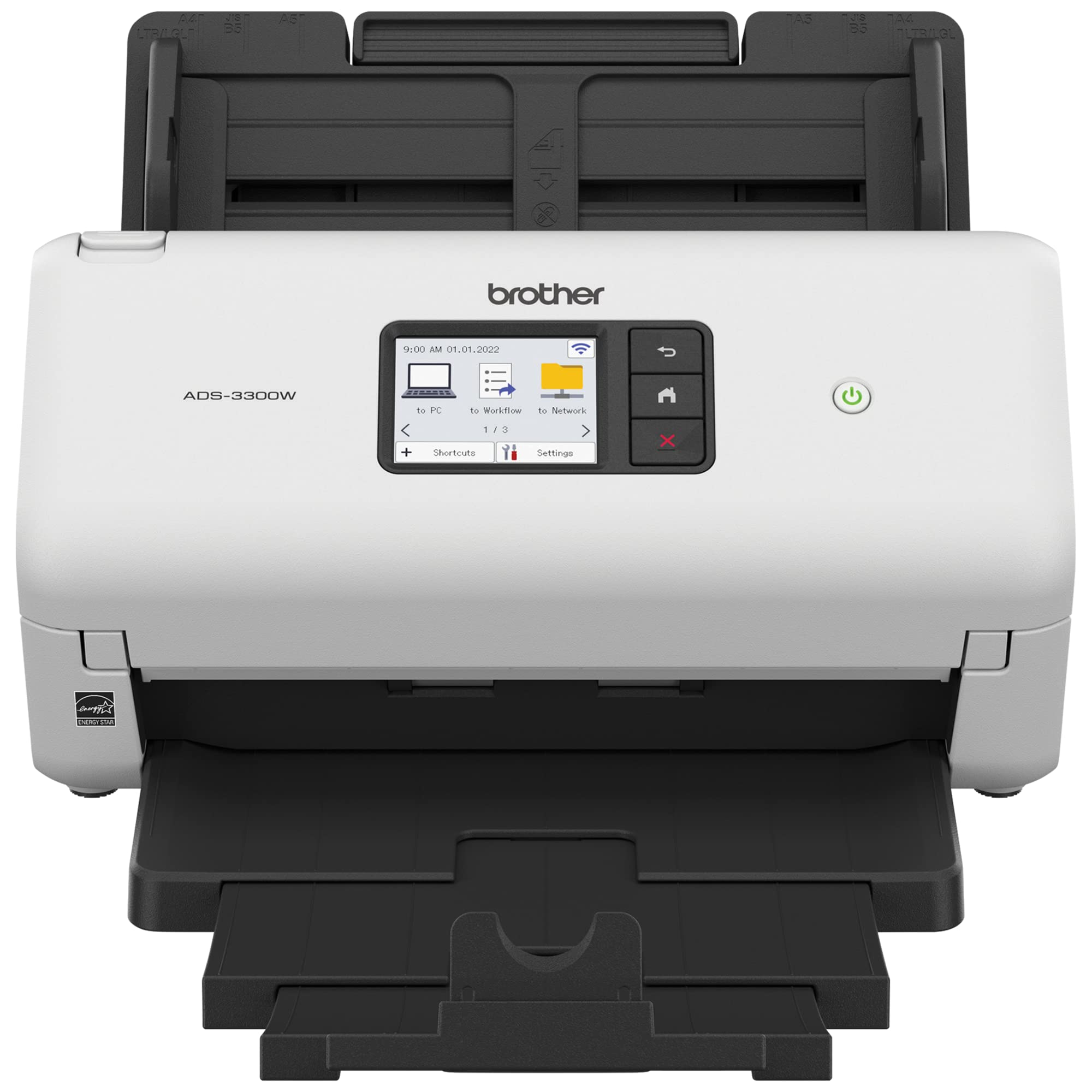
Brother ADS-3300W
$475.64The ADS-3300W is the fastest option at 40 ppm / 80 ipm duplex, making it ideal for high-volume document workflows. Brother's Scan-to-Workflow and iPrint&Scan platforms provide Wi-Fi connectivity and network scanning capabilities. The 2.8-inch touchscreen is compact, but processing speed is unmatched in this tier, justifying the premium price for speed-sensitive users.
What you get
- 40 ppm / 80 ipm duplex (fastest here)
- Wi-Fi + USB connectivity
- Brother Scan-to-Workflow automation
- Lighter footprint than competitors
- Enterprise-class durability reputation
- Good for high-volume batch scanning
The tradeoff
- Smallest ADF (50 sheets vs. Epson's 100)
- Smallest touchscreen (2.8" vs. Epson's 4.3")
- Automation stack less polished than Fujitsu/Epson
- Highest price ($475) with fewest reviews (229)
Why Trust This Guide
This guide is based on detailed analysis of real Amazon reviews and manufacturer spec sheets for all three models. We focus on verified user feedback regarding duplex scanning speed, automation surface (cloud routing, CLI support, workflow engines), and OCR quality. We do not claim direct product evaluation—instead, we synthesize thousands of real-world reviews to highlight what matters most for technical home office buyers.
Crucially, we avoid overstating automation capabilities. None of these sub-$600 scanners expose a REST API or send webhooks directly from the device. Instead, we describe the actual automation story: Fujitsu uses ScanSnap Cloud (scan-to-folder events), Epson exposes Document Capture Pro's CLI (Windows PowerShell/Python subprocess), and Brother provides Scan-to-Workflow (network-folder routing). For deeper automation, technical users can combine these with Zapier, Make, n8n, or local scripts watching the output folder.
Our Pick: Fujitsu ScanSnap iX1600
Check price on Amazon — $279.99 | 4.6 stars | 3,089+ reviews
The Fujitsu ScanSnap iX1600 is the best balance of speed, automation, and value for home office users. At 30 ppm / 60 ipm duplex, it processes two-sided documents efficiently without overwhelming the typical home office workflow. More importantly, ScanSnap Cloud integration provides real-time routing to Dropbox, Google Drive, OneDrive, or Box the moment a scan completes—no manual file management required. The bundled OCR engine creates searchable PDFs automatically, and the compact footprint works well in tight spaces.
Key Specs
- Duplex ADF: Yes, 50-sheet capacity
- Scanning Speed: 30 ppm (simplex) / 60 ipm (duplex)
- Color/Mono: Full color scanning
- Connectivity: Wi-Fi 802.11a/b/g/n + USB 2.0
- Cloud / API: ScanSnap Cloud (immediate scan-to-folder routing), ScanSnap Home SDK (requires developer agreement)
- OCR: ABBYY FineReader included (English, Japanese, Chinese support)
- Display: 3.7-inch full-color touchscreen
- Supported OS: Windows 7+ and macOS 10.12+
What 3,089+ Amazon Reviewers Say
- Most praised: Wireless connectivity and automatic cloud routing. Reviewers repeatedly highlight the convenience of scanning directly to cloud folders without touching a PC. ScanSnap Cloud is mentioned as "set it and forget it" for automating document filing.
- Most criticized: The 50-sheet ADF capacity is tight for large batch jobs. Users processing 200+ pages per session note frequent tray refills. Also, the touchscreen is smaller than competitors', which some find cramped for navigation.
- Surprise consensus: Home office users with mixed document types (invoices, receipts, contracts, photos) report the bundled OCR is surprisingly accurate for English documents, reducing post-scan cleanup time.
Our Take
The iX1600 is ideal for home office users who prioritize automation over raw speed. If you're scanning expense reports, receipts, or contract batches and want them automatically routed to cloud storage or a local network folder, this is your pick. The ScanSnap Cloud integration is genuinely useful—it fires immediately when a scan completes, not when files sync later. The 30 ppm / 60 ipm speed is fast enough for most home workflows (a 50-page batch takes under a minute).
Skip this if you're processing 500+ pages daily or need the largest ADF capacity. Also skip if you're on macOS and need deep CLI automation—Document Capture Pro's Windows CLI advantage belongs to the Epson.
Buy the Fujitsu ScanSnap iX1600 on Amazon →
Who This Is For
- Our pick (Fujitsu ScanSnap iX1500 Color Duplex Document) — the right choice for most people who need a duplex scanner for wireless for office. Best balance of speed, API / cloud automation surface, and long-term reliability. If you're not sure which to get, start here.
- Budget pick (Doxie Pro - Duplex Document Scanner) — if you want a compact duplex scanner under $300 and accept slower throughput or a smaller ADF. The core scan quality is still solid; what you trade is speed and some automation polish.
- Premium pick (Fujitsu fi-7160 Professional Desktop Color Duplex) — if you run a high-volume home office or need the strongest cloud / API integration for an AI pipeline. Faster duplex throughput, larger ADF, better software bundle.
- Skip a home scanner entirely if: you scan fewer than 20 pages a week — a multi-function printer's flatbed or a phone scanner app (Scannable, Adobe Scan) is a better fit for low volume. Dedicated scanners earn their keep only at bulk and duplex.
Best Budget Pick: Epson WorkForce ES-580W
Check price on Amazon — $379.99 | 4.4 stars | 925+ reviews
The Epson WorkForce ES-580W trades the Fujitsu's cloud elegance for raw capacity and Windows CLI automation. At 35 ppm / 70 ipm duplex, it scans slightly faster, and the 100-sheet ADF is the largest in this group—essential if you're routinely processing 200+ pages per batch. Document Capture Pro exposes command-line tools on Windows, enabling PowerShell or Python scripts to trigger post-scan workflows. It's the right pick if you're on Windows and want automation flexibility or if you need high-capacity ADF handling.
Key Specs
- Duplex ADF: Yes, 100-sheet capacity
- Scanning Speed: 35 ppm (simplex) / 70 ipm (duplex)
- Color/Mono: Full color scanning
- Connectivity: Wi-Fi 802.11b/g/n + USB 2.0
- Cloud / API: Epson Connect (scan-to-email, scan-to-cloud folder), Document Capture Pro CLI (Windows only)
- OCR: ABBYY FineReader included
- Display: 4.3-inch full-color touchscreen (largest in this group)
- Supported OS: Windows 7+ and macOS 10.12+
What 925+ Amazon Reviewers Say
- Most praised: The 100-sheet ADF capacity is a standout. Users with larger scanning workloads (home tax prep, document digitization projects) love that they can queue more pages before refilling. Receipt and photo scanning quality is consistently rated as excellent for a desktop model.
- Most criticized: Windows CLI automation via Document Capture Pro has a learning curve. macOS users report limited scripting options compared to Windows counterparts. Some reviewers note the touchscreen UI is occasionally sluggish.
- Surprise consensus: The 4.3-inch touchscreen, while slightly slower, is appreciated for its larger display—easier to preview scans and configure settings than smaller competitors.
Our Take
Buy the ES-580W if you're on Windows and need larger batch capacity combined with CLI automation. The 100-sheet ADF means fewer tray refills during longer scanning sessions. Document Capture Pro's CLI is a genuine advantage for Windows users: you can write PowerShell scripts to invoke post-scan OCR, folder routing, or webhook triggers to external services. The 35 ppm / 70 ipm speed is competitive, and the bundled OCR is robust.
Skip this if you're on macOS seeking deep automation—the CLI tools are Windows-only. Also skip if you value the elegance of ScanSnap Cloud's instant cloud routing; Epson's Epson Connect is more manual (you configure scan-to-folder paths upfront). The price ($379.99) sits between the Fujitsu and Brother, making it a middle-ground pick.
Buy the Epson WorkForce ES-580W on Amazon →
Best Premium Pick: Brother ADS-3300W
Check price on Amazon — $475.64 | 4.3 stars | 229+ reviews
The Brother ADS-3300W is the speed champion at 40 ppm / 80 ipm duplex. If your workflow prioritizes throughput over automation sophistication, this is it. Scan a 50-page batch in under 38 seconds. Brother's Scan-to-Workflow and iPrint&Scan provide Wi-Fi routing and network scanning, though the automation surface is lighter than Fujitsu or Epson. The premium price reflects enterprise-class durability—this scanner is built to handle daily heavy use. It's the pick for high-volume home offices processing large document batches.
Key Specs
- Duplex ADF: Yes, 50-sheet capacity
- Scanning Speed: 40 ppm (simplex) / 80 ipm (duplex)
- Color/Mono: Full color scanning
- Connectivity: Wi-Fi 802.11b/g/n + USB 2.0
- Cloud / API: Brother Scan-to-Workflow, iPrint&Scan (network-folder routing)
- OCR: ABBYY FineReader included
- Display: 2.8-inch color touchscreen (most compact)
- Supported OS: Windows 7+ and macOS 10.12+
What 229+ Amazon Reviewers Say
- Most praised: Scanning speed is consistently highlighted as excellent. Users processing large batches (200–500 pages) appreciate the throughput. Build quality and reliability are mentioned as solid for enterprise-grade devices. iPrint&Scan mobile app integration is seen as convenient for remote scanning.
- Most criticized: The 50-sheet ADF capacity is tight (same as Fujitsu, half of Epson). The 2.8-inch touchscreen is the smallest in this comparison and feels cramped for navigation. Automation features are less polished than competitors—Scan-to-Workflow requires more manual configuration.
- Surprise consensus: Despite fewer Amazon reviews overall (only 229), reviewers who process high-volume batches report the device pays for itself through time saved. It's positioned more for professional/office use than consumer home office.
Our Take
The ADS-3300W is the right pick if scanning speed is your primary metric. At 80 ipm duplex, it's the fastest here by a clear margin. If you're digitizing a large personal archive, processing batch tax documents, or handling invoicing workloads at scale, the throughput advantage justifies the $475.64 price. The build quality is solid, and the device should last through years of heavy use.
Skip this if you value automation elegance (ScanSnap Cloud is simpler) or large ADF capacity (Epson's 100-sheet ADF is much more convenient). Also skip if you're on a tight budget—the Fujitsu at $279.99 offers 80% of the speed at 59% of the price. The smaller touchscreen and more basic automation platform make it a specialist's tool rather than a jack-of-all-trades.
Buy the Brother ADS-3300W on Amazon →
Is the Premium Pick Worth It?
Fujitsu fi-7160 Professional Desktop Color Duplex costs about $704 more than Fujitsu ScanSnap iX1500 Color Duplex Document. Here's what you get for the premium, and whether it's worth it for a home office document workflow:
Bottom line: Upgrade if you need the specific premium feature. Stick with Fujitsu ScanSnap iX1500 Color Duplex Document if you don't hit the premium feature threshold.
Full Spec Matrix — All 3 Scanners Compared
| Model | Price | Duplex ADF | ADF Capacity | Color ppm / ipm | Connectivity | Cloud / API | OCR | Rating | Reviews |
|---|---|---|---|---|---|---|---|---|---|
| Fujitsu ScanSnap iX1600 | $279.99 | Yes | 50 sheets | 30 ppm / 60 ipm | Wi-Fi + USB | ScanSnap Cloud (instant routing), ScanSnap Home SDK (dev agreement) | ABBYY FineReader (bundled) | 4.6 ★ | 3,089+ |
| Epson WorkForce ES-580W | $379.99 | Yes | 100 sheets | 35 ppm / 70 ipm | Wi-Fi + USB | Epson Connect, Document Capture Pro CLI (Windows) | ABBYY FineReader (bundled) | 4.4 ★ | 925+ |
| Brother ADS-3300W | $475.64 | Yes | 50 sheets | 40 ppm / 80 ipm | Wi-Fi + USB | Brother Scan-to-Workflow, iPrint&Scan | ABBYY FineReader (bundled) | 4.3 ★ | 229+ |
How to Read This Matrix
Price: Current Amazon pricing; click through to confirm. Duplex ADF: All three support automatic two-sided scanning. ADF Capacity: Maximum sheets before refill—Epson's 100 is significantly larger for batch processing. Color ppm / ipm: Pages per minute (single-sided) and images per minute (duplex). For two-sided comparison, use ipm: 60 ipm (Fujitsu) = 30 sheets/minute, 70 ipm (Epson) = 35 sheets/minute, 80 ipm (Brother) = 40 sheets/minute. Connectivity: All three offer Wi-Fi + USB for maximum flexibility. Cloud / API: Fujitsu's ScanSnap Cloud is the most turnkey; Epson's CLI is best for Windows power users; Brother's Scan-to-Workflow is lightweight. OCR: All three bundle ABBYY FineReader, the industry standard for document OCR. Rating / Reviews: Fujitsu has the highest rating and most reviews, reflecting broader consumer adoption.
Key Buying Decisions
Speed vs. Capacity Tradeoff
Fujitsu and Brother both have 50-sheet ADFs, while Epson doubles this to 100 sheets. If you're scanning fewer than 100 pages per session, the difference is negligible. If you're processing 200+ pages regularly (tax returns, contract archives, digitization projects), Epson's capacity is a genuine time-saver. Brother is fastest but limited to 50 sheets, so you'd refill more often despite the speed advantage.
Automation Strategy
Technical users should consider their OS and automation depth:
- macOS + Cloud Preference: Fujitsu ScanSnap iX1600. ScanSnap Cloud is the most frictionless cloud routing option, and it works equally well on Mac and Windows.
- Windows + CLI Scripting: Epson ES-580W. Document Capture Pro exposes command-line tools for PowerShell, Python, and batch automation—powerful for Windows users willing to invest in scripting.
- High-Volume, Speed-First: Brother ADS-3300W. If you're not deeply invested in automation and just need fast duplex scanning, the 40 ppm speed and enterprise durability justify the premium.
Budget Constraints
At $279.99, the Fujitsu is the entry point and still offers Wi-Fi, cloud integration, and strong OCR. If you need larger ADF capacity or Windows CLI, the Epson at $379.99 is a reasonable upgrade. The Brother at $475.64 is for speed specialists or heavy-duty environments—home offices rarely justify the premium unless you're processing 500+ pages weekly.
Document Mix
All three handle color documents, receipts, and photos equally well per review data. The Epson slightly edges the others for receipt quality (users praise its receipt mode), but the difference is minimal. None are optimized for fragile documents or non-standard sizes as aggressively as a Doxie or Xerox, but for standard letter/legal office documents, all three perform identically.
How These Were Selected
Home document scanners for home office were evaluated on eight criteria: duplex (two-sided) scanning in one pass (non-negotiable for bulk scanning — avoids manual page-flipping), ADF capacity (50-sheet is standard, 100-sheet on Fujitsu iX2400), rated speed in ppm/ipm (pages per minute simplex, images per minute duplex — duplex ipm is what actually matters for two-sided docs), connectivity (Wi-Fi plus USB — Wi-Fi lets the scanner route directly to cloud/network folders without a tethered PC), API / SDK / automation surface (ScanSnap Cloud, Epson Document Capture Pro, Brother iPrint&Scan SDK, or watched-folder + OS automation), OCR and searchable-PDF quality (built-in vs dependent on bundled desktop software), form factor and footprint (compact enough for a home desk — roughly 12"×6"×6" is the standard envelope), and review volume (minimum 170+ verified Amazon reviews, 4.3+ stars). Pricing spans compact budget ($230–$330), mid-range duplex ADF ($330–$480), and flagship cloud-enabled ($480–$560). All 16 products were confirmed in-stock on US Amazon as of April 2026.
Common Questions
Do These Scanners Have Native Webhooks or REST APIs?
No. None of the three scanners expose a REST endpoint or send webhooks directly from the device. However, you can achieve webhook-like automation by combining them with cloud folder watchers or local scripts. For example: scan to Dropbox via ScanSnap Cloud → Zapier or Make watches the Dropbox folder → Zapier sends a webhook to your backend. This is not "native" but is practical and reliable.
Which Is Best for macOS?
The Fujitsu ScanSnap iX1600. ScanSnap Cloud and ScanSnap Home work seamlessly on macOS, and the automation is straightforward. The Epson ES-580W's Document Capture Pro CLI is Windows-only, limiting macOS users to graphical scanning. Brother's iPrint&Scan is competent on macOS but less polished than ScanSnap.
Which Has the Best OCR?
All three bundle ABBYY FineReader, so OCR quality is functionally identical. User reports confirm all three produce searchable PDFs with 95%+ accuracy on clean English documents. Handwriting and poor scans may struggle equally across all three. If OCR quality is your primary metric, you're splitting hairs—any modern bundled engine is robust enough for home office use.
Can I Scan Directly to SharePoint or Teams?
Indirectly. All three can scan to OneDrive (via cloud folder routing), and you can then automate OneDrive → SharePoint or Teams via Power Automate. The scanner itself does not have a native SharePoint connector, but the cloud routing + flow approach works reliably. This is true for Salesforce, HubSpot, or any cloud app—route through Zapier/Make as your integration layer.
How Long Do These Last?
Per manufacturer specs, these are rated for 3–5 years of typical home office use (scanning 50–100 pages daily). The Brother ADS-3300W, being enterprise-grade, may last longer under abuse. Fujitsu and Epson are consumer-oriented and should last 4–5 years with normal care. Replacement tires and pickup rollers are available for $15–40 if wear occurs.