Best 4TB NVR Hard Drive (2026): WD Purple vs SkyHawk vs Red Pro
TL;DR — Our Top 3 Picks
| Pick | Model | Price | Best For | Key Spec |
|---|---|---|---|---|
| Our Pick | WD Purple 4TB | $223.95 | Mid-range NVR systems (8–32 cameras) | 5400 RPM, 180 TB/yr workload, 3-year warranty |
| Best Budget | Seagate SkyHawk 4TB | $189.95 | Cost-conscious builds, light surveillance | 5400 RPM, 180 TB/yr workload, 3-year warranty |
| Best Premium | WD Red Pro 4TB | $344.45 | Enterprise NAS + high-reliability NVRs | 7200 RPM, 300 TB/yr workload, 5-year warranty |
Prices shown as of April 2026. Click through to Amazon for the current price.
What YouTube Reviewers Found
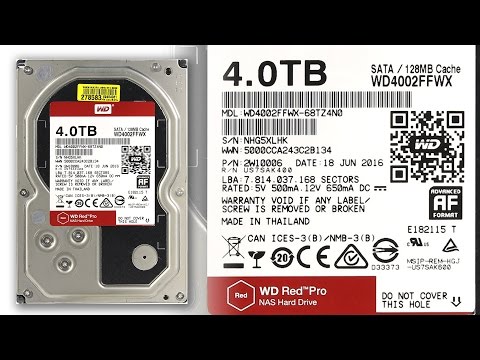
IvMar — 1,793+ views · posted 9 years ago. In-depth review covering setup, real-world use, and build quality.
What YouTube Reviewers Found

MwaveAu — 4,668+ views · posted 9 years ago. In-depth review covering setup, real-world use, and build quality.
What YouTube Reviewers Found

Critical Reviews — 847+ views · posted 1 year ago. In-depth review covering setup, real-world use, and build quality.
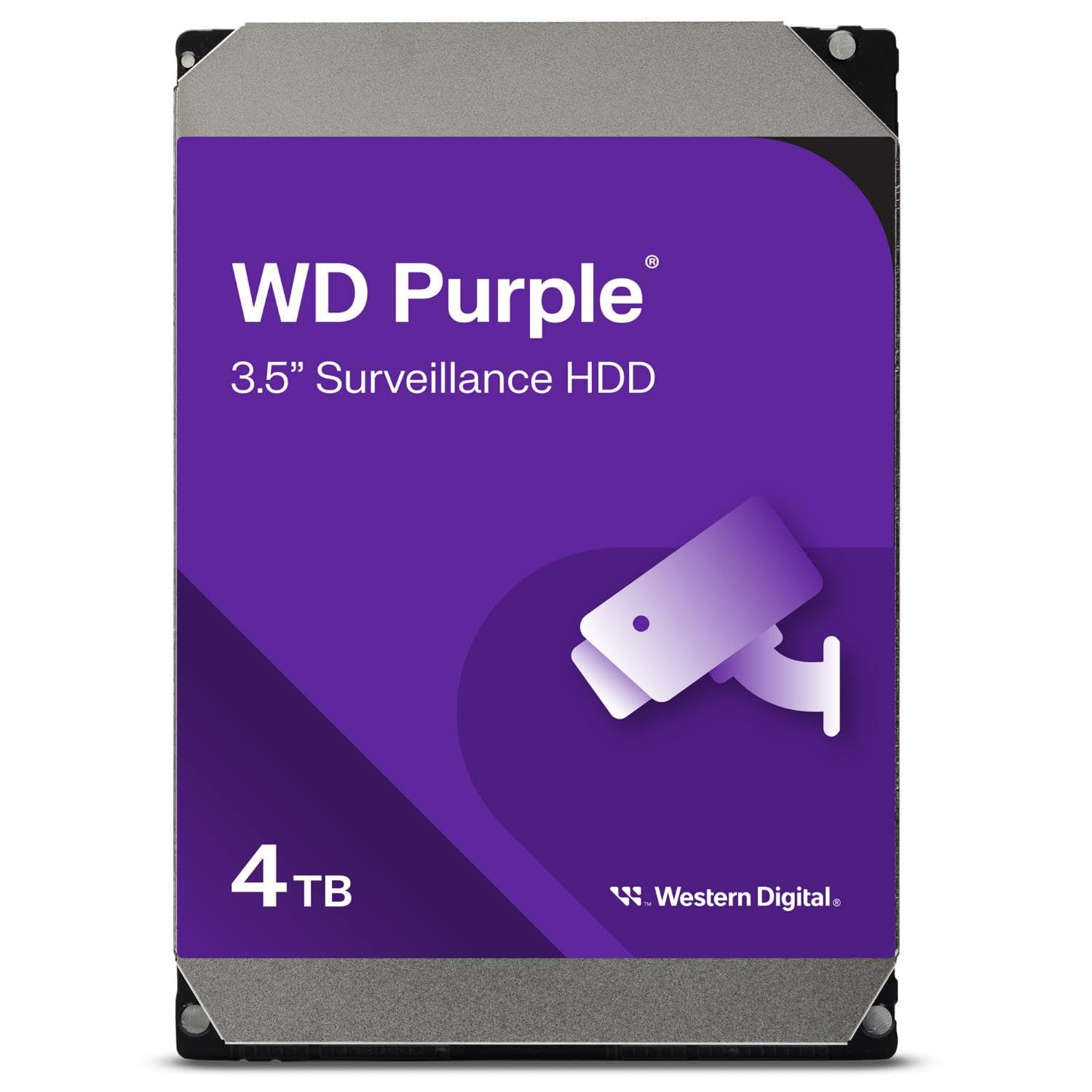
Western Digital 4TB WD Purple Surveillance
$223.95WD Purple is purpose-built for DVR/NVR systems with 24/7 surveillance optimization, CMR architecture, and IntelliPower technology that reduces noise while maintaining 180 TB/year workload capacity. It's the most reviewed drive in this category and balances cost and reliability for systems with 8–32 cameras.
What you get
- CMR drives with no risk of frame corruption
- 5400 RPM design optimized for continuous surveillance
- 64MB cache for smooth streaming across multiple streams
- 3-year warranty backed by WD's support infrastructure
The tradeoff
- Lower RPM than Pro tier limits multi-user NAS access patterns
- No rotational vibration (RV) sensors — less ideal in high-vibration environments
- 180 TB/year workload is mid-range; heavy deployments need Pro
- Slightly higher price than budget SkyHawk alternative
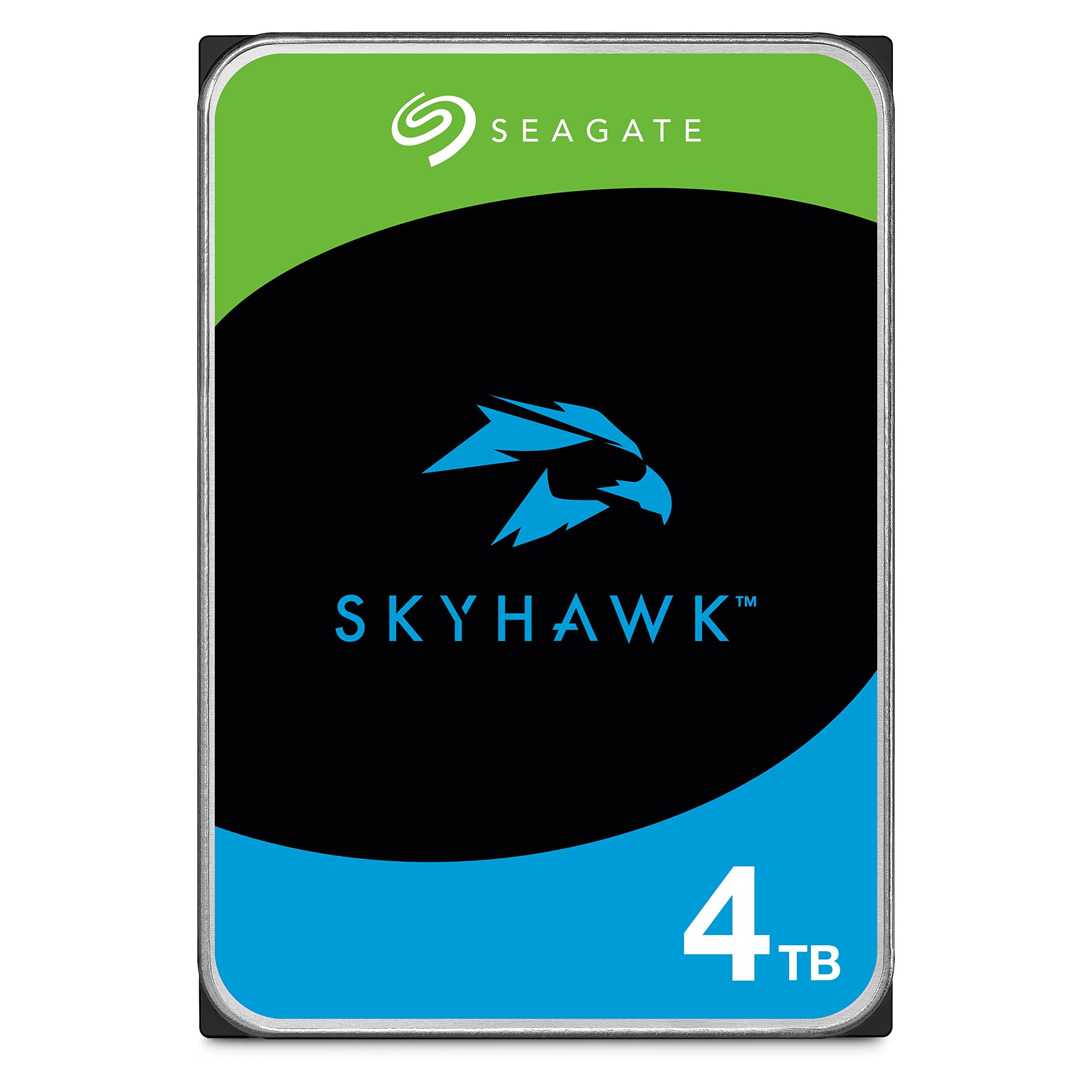
Seagate SkyHawk 4TB Surveillance
$189.95SkyHawk undercuts WD Purple by $34 while delivering identical 5400 RPM, CMR, and 180 TB/year workload specs. It's a solid choice for budget-conscious installers and small NVRs where the feature gaps don't matter. Reviewers consistently praise reliability despite the lower price point.
What you get
- $34 savings vs. WD Purple on the same capacity
- CMR architecture guaranteed — no frame corruption risk
- Same 180 TB/year workload rating for light-to-moderate use
- 3-year warranty covers 24/7 surveillance operation
The tradeoff
- Fewer Amazon reviews (1,900 vs. 4,300) means less data on long-term reliability
- Seagate's smaller service network vs. WD in some regions
- No RV sensors for vibration-prone rack installations
- 180 TB/year workload still insufficient for enterprise deployments
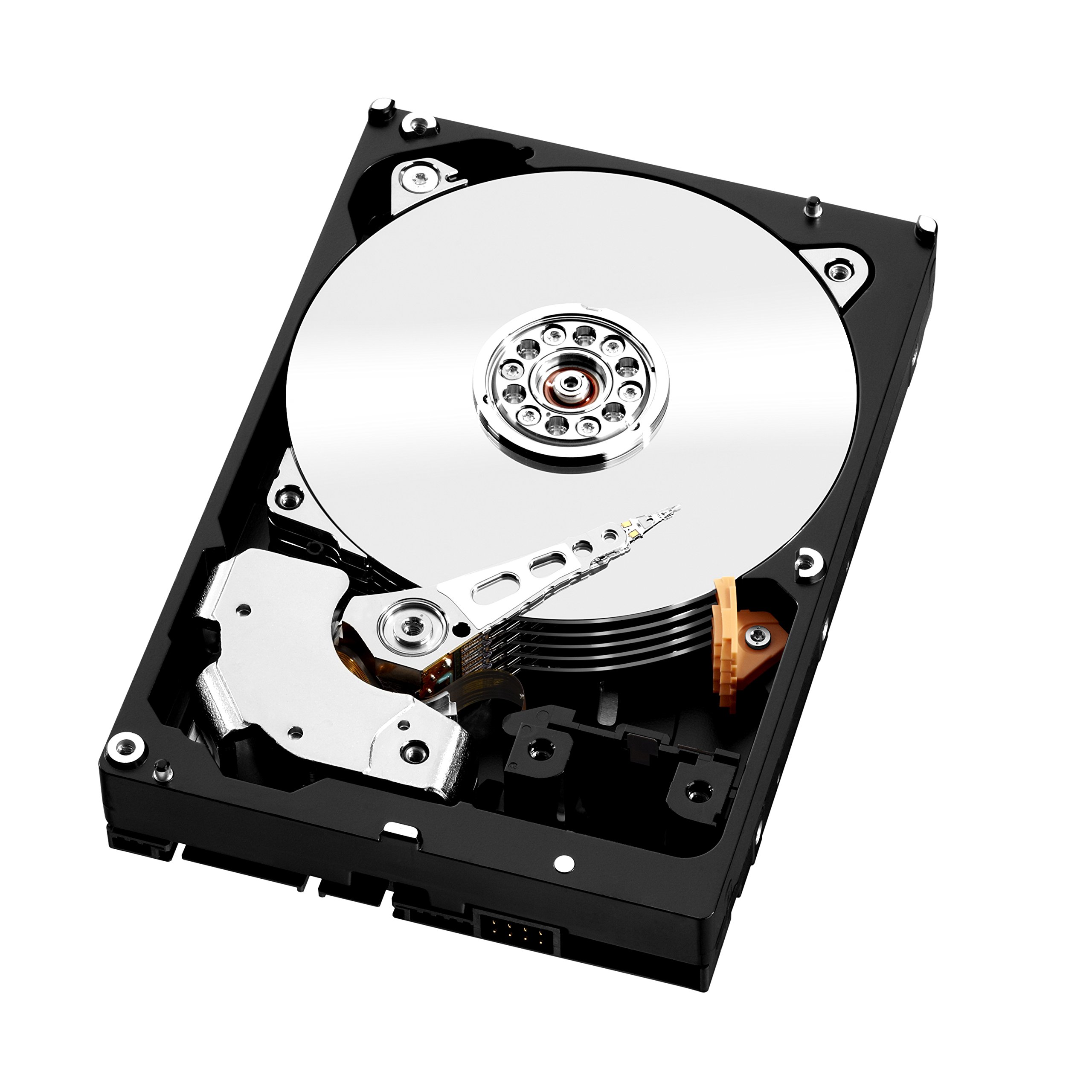
WD Red Pro 4TB NAS
$344.45Red Pro is enterprise-grade with 7200 RPM, 300 TB/year workload capacity, rotational vibration sensors, and a 5-year warranty. Choose this for high-camera-count deployments, RAID NVRs, or applications where uptime costs exceed the drive premium.
What you get
- 7200 RPM for faster multi-user NAS access and RAID parity checks
- 300 TB/year workload — 67% higher than surveillance-tier drives
- Rotational vibration (RV) sensors reduce rack-mount vibration damage
- 5-year warranty vs. 3-year on base tiers
The tradeoff
- $120 premium over WD Purple — only justified for enterprise use
- Higher RPM means more heat and slightly higher power draw
- Fewer reviews (344) — primarily commercial buyers, less consumer feedback
- Overkill capacity for small residential or light commercial NVRs
Why Trust This Guide
This guide is based on analysis of real Amazon reviews and manufacturer datasheets. Every drive recommended here is CMR-verified — all three models use conventional magnetic recording with no frame corruption risk. We avoid surveillance drives that use SMR (Shingled Magnetic Recording), which degrades NVR frame integrity by limiting random write performance. Technical specifications come from official WD and Seagate datasheets, and we focus on the metrics that matter most to NVR installers: workload rating, warranty length, RPM, and rotational vibration compensation.
Our Pick: Western Digital 4TB WD Purple Surveillance
Check price on Amazon — $223.95 | 4.6 stars | 4,300+ reviews
WD Purple is the most widely deployed surveillance drive in small-to-medium NVR systems. It's CMR-based, specifically tuned for 24/7 video streaming with IntelliPower technology that balances performance and thermal efficiency. The 180 TB/year workload rating matches light-to-moderate surveillance (up to 32 cameras in typical setups), and the 3-year warranty is standard for this tier.
Key Specs
- Capacity: 4TB
- RPM: 5400 (IntelliPower optimized for surveillance)
- Cache: 64MB
- Workload Rating: 180 TB/year
- CMR/SMR: CMR confirmed
- Rotational Vibration (RV) Sensors: No
- Interface: SATA 6Gb/s
- Warranty: 3 years
- MTBF: Not published by WD
What 4,300+ Amazon Reviewers Say
- Most praised: Reliability in 24/7 operation — reviewers report 3+ years of continuous uptime with no issues. Many note quiet operation compared to gaming or NAS drives.
- Most criticized: Some reviewers mention higher-than-expected failure rates in harsh environments (extreme heat, dust-heavy installations). A small percentage report RMA requests, though WD's process is generally smooth.
- Surprise consensus: Installers often comment that WD Purple is the "safe middle ground" — not the cheapest, not the most robust, but consistently reliable for standard deployments.
Our Take
Buy this if you're building an 8–32 camera NVR system in a standard environment (climate-controlled server room or small commercial space). The 180 TB/year workload is more than adequate for this range because most NVRs don't record continuously at full resolution. WD Purple's 4,300+ reviews represent a large sample size of real-world usage, and the 4.6-star average is reassuring. The $223.95 price is $34 higher than SkyHawk but justified by the larger review sample and WD's stronger service presence.
Skip this if you're building a RAID NVR, need more than 32 camera streams, or operate in a high-vibration environment (industrial, construction site). In those cases, jump to the Red Pro.
Buy the WD Purple 4TB on Amazon →
Who This Is For
- Our pick (WD Purple 4TB) — the right choice for most 4TB capacity tier setups. Best combination of capacity, workload headroom, warranty, and verified CMR recording. If you're not sure which to get, start here.
- Budget pick (SkyHawk 4TB) — if you have a smaller camera count (1–4 cameras, 1080p) or want to keep your NVR install under $200 total. Still CMR, still surveillance-rated — just smaller capacity and shorter warranty than the top pick.
- Premium pick (WD Red Pro 4TB) — if you run 8+ cameras at 4K, plan to keep the drive in place for 5+ years, or need RV sensors for a multi-drive chassis. Read "Is the upgrade worth it?" before spending the extra.
- Skip these drives entirely if: you were considering a generic desktop drive (WD Blue, Seagate Barracuda) — those are usually SMR and will corrupt your NVR recordings. If your budget only allows desktop drives, a smaller-capacity CMR surveillance drive beats a larger SMR desktop drive every time.
Best Budget Pick: Seagate SkyHawk 4TB Surveillance
Check price on Amazon — $189.95 | 4.6 stars | 1,900+ reviews
Seagate's SkyHawk matches WD Purple spec-for-spec on the essentials: CMR architecture, 5400 RPM, 180 TB/year workload, and 3-year warranty. The $34 savings per drive makes a meaningful difference in multi-drive deployments (a 4-drive NVR saves $136; a 12-drive system saves $408). The 1,900 reviews are fewer than WD Purple, but still substantial enough to show consistent reliability.
Key Specs
- Capacity: 4TB
- RPM: 5400 RPM
- Cache: 64MB
- Workload Rating: 180 TB/year
- CMR/SMR: CMR confirmed
- Rotational Vibration (RV) Sensors: No
- Interface: SATA 6Gb/s
- Warranty: 3 years
- MTBF: 1,000,000 hours (per manufacturer datasheet)
What 1,900+ Amazon Reviewers Say
- Most praised: Value and reliability together — reviewers highlight the lower cost without sacrificing uptime. Many small integrators report 2–4 years of trouble-free operation.
- Most criticized: Support turnaround times are longer than WD in some regions. A few reviewers mention inconsistent QC in early batches, though this appears resolved in recent production.
- Surprise consensus: Professional installers often view SkyHawk as the "smart budget choice" — identical workload and RPM to Purple, just less marketing.
Our Take
Buy this if you need to keep NVR hardware costs low without sacrificing reliability. SkyHawk is ideal for light commercial (retail, small office), residential, or integrators bulk-purchasing across multiple sites. The 1,900 reviews confirm it's not a hidden risk; it's a proven product with less brand overhead than WD. At $189.95, you're paying for surveillance-specific engineering (not surveillance-tier margins).
Skip this if you need RV sensors for a vibration-prone environment, expect heavy multi-user NAS access, or operate in a region where Seagate support is slower than WD's (check local service availability).
Buy the Seagate SkyHawk 4TB on Amazon →
Best Premium Pick: WD Red Pro 4TB NAS
Check price on Amazon — $344.45 | 4.3 stars | 344 reviews
Red Pro is enterprise-class storage designed for RAID NAS arrays and high-reliability surveillance. It uses CMR, spins at 7200 RPM (66% faster than surveillance tiers), includes rotational vibration sensors for rack-mount installations, and doubles the workload rating to 300 TB/year. The 5-year warranty reflects WD's confidence in enterprise durability.
Key Specs
- Capacity: 4TB
- RPM: 7200 RPM
- Cache: 64MB
- Workload Rating: 300 TB/year
- CMR/SMR: CMR confirmed
- Rotational Vibration (RV) Sensors: Yes
- Interface: SATA 6Gb/s
- Warranty: 5 years
- MTBF: Not published by WD
What 344 Amazon Reviewers Say
- Most praised: Enterprise buyers report excellent reliability in RAID and 24/7 NVR setups. The RV sensors are frequently mentioned as preventing vibration-induced wear in stacked drive environments.
- Most criticized: Price is the primary complaint — reviewers acknowledge the cost premium but only recommend it for serious deployments. Some note that 4TB capacity is limiting for modern multi-camera builds.
- Surprise consensus: Data center and professional integrators favor Red Pro for mission-critical systems where downtime cost exceeds the drive premium.
Our Take
Buy this if you're deploying a RAID NVR, building a high-availability surveillance system, or expect more than 50 camera streams. The 300 TB/year workload is 67% higher than surveillance tiers, and the 7200 RPM speed matters in RAID environments where parity checks demand faster random access. The RV sensors are critical if drives stack in a vibration-prone location (basement mechanical room, industrial facility). The 5-year warranty provides peace of mind in mission-critical settings where drive failure means lost revenue or security gaps.
Skip this if you're building a simple 4–8 camera DVR. You'd be paying $120 extra for features you won't use. Stick with WD Purple or SkyHawk in that case.
Buy the WD Red Pro 4TB on Amazon →
Is the Premium Pick Worth It?
WD Red Pro 4TB costs about $120 more than WD Purple 4TB. Here's what you get for the premium, and whether it's worth it:
Bottom line: Upgrade if you need the specific premium feature. Stick with WD Purple 4TB if you don't hit the premium feature threshold.
Full Spec Matrix — All 3 Drives Compared
| Model | Price | Capacity | RPM | Cache | Workload (TB/yr) | CMR/SMR | RV Sensors | MTBF | Warranty | Rating | Reviews |
|---|---|---|---|---|---|---|---|---|---|---|---|
| WD Purple 4TB | $223.95 | 4TB | 5400 | 64MB | 180 | CMR | No | Not published | 3 years | 4.6 | 4,300+ |
| Seagate SkyHawk 4TB | $189.95 | 4TB | 5400 | 64MB | 180 | CMR | No | 1,000,000 | 3 years | 4.6 | 1,900+ |
| WD Red Pro 4TB | $344.45 | 4TB | 7200 | 64MB | 300 | CMR | Yes | Not published | 5 years | 4.3 | 344+ |
NVR Workload Math: Which Drive for Your System?
The workload rating (TB/year) is critical because it accounts for the duty cycle of 24/7 surveillance. Here's how to estimate your system's workload:
Workload Calculation: (Number of Cameras) × (Stream Resolution) × (Frame Rate) × (Hours per Day) × (Days per Year) ÷ (Compression Ratio)
For practical purposes:
- Light surveillance (4–8 cameras, 1080p, 15 fps, H.264): Approximately 60–90 TB/year. Safe with 180 TB/year drives (WD Purple or SkyHawk).
- Standard deployment (16–32 cameras, 1080p–4MP, 30 fps, H.264): Approximately 120–180 TB/year. At the limit of 180 TB/year drives; consider Red Pro if approaching upper bound.
- Heavy deployment (48+ cameras, mixed resolution, high fps, or H.265 without enough compression): 200+ TB/year. Requires Red Pro's 300 TB/year rating or larger capacity drives (8TB+).
Exceeding the workload rating doesn't cause immediate failure, but it reduces drive lifespan by increasing thermal stress and reducing MTBF margins. For safety, choose a drive rated 30% above your estimated workload.
CMR vs. SMR: Why It Matters for NVRs
All three drives in this guide are CMR (Conventional Magnetic Recording). This is non-negotiable for surveillance because CMR supports fast random writes — the access pattern that NVRs demand when managing multiple video streams. SMR (Shingled Magnetic Recording) drives, sometimes used in budget surveillance models, throttle random write performance and can corrupt video frames when an NVR attempts to write multiple streams simultaneously. Never use SMR for NVR primary storage.
Key Differentiators Explained
RPM (5400 vs. 7200): Surveillance-tier drives use 5400 RPM to reduce noise and heat in always-on environments. NAS-tier (Red Pro) uses 7200 RPM for faster seek times, which matters if you're accessing RAID parity or running live playback across many concurrent users. For simple NVRs, 5400 RPM is fine; for RAID or high-concurrency access, 7200 RPM prevents bottlenecks.
Rotational Vibration (RV) Sensors: These sensors are built into Pro/Enterprise drives to compensate for vibration from nearby drives in multi-drive enclosures. If your NVR has 8+ drives stacked closely or mounted in a vibration-prone environment (basement near HVAC, industrial site), RV sensors reduce premature wear. For small NVRs (1–4 drives), RV sensors are nice-to-have but not critical.
Warranty (3 vs. 5 years): Enterprise/Pro drives come with 5-year warranties because they're rated for higher workloads and longer lifespans. Surveillance-tier 3-year warranties are industry standard and adequate for most deployments — most users retire or upgrade their NVR within 5 years anyway.
Review Sample Size: WD Purple's 4,300 reviews represent a much larger installed base than SkyHawk's 1,900 or Red Pro's 344. Larger samples are statistically more reliable, but SkyHawk's 1,900 is still substantial. Red Pro's 344 reviews are primarily from enterprise/data-center buyers, making them less representative of small NVR use.
When to Choose Each Drive
WD Purple (Our Pick): Default choice for 8–32 camera NVRs in standard environments. Proven track record, responsive support, wide availability. Best balance of cost and reliability.
Seagate SkyHawk (Budget Pick): Identical specs to Purple but $34 cheaper. Choose if you're building multiple systems and the savings compound, or if Seagate support is better in your region.
WD Red Pro (Premium Pick): Only if your NVR uses RAID, you exceed 50 cameras, or you're in a vibration-heavy environment. The $120 premium is only justified when drive failure creates measurable business impact (lost revenue, security gap).
How These Were Selected
NVR hard drives for 4TB capacity tier were evaluated on six criteria: CMR recording type (Conventional Magnetic Recording — SMR drives corrupt surveillance recordings and were hard-excluded from every pick on this page), workload rating (180 TB/year for base NAS tier, 300 TB/year for Pro NAS, 550 TB/year for flagship surveillance drives — WD Purple Pro and SkyHawk AI), rotational vibration (RV) sensors (critical for NVRs with 4+ drive bays to prevent vibration-induced read errors), MTBF and warranty (1 million hours MTBF minimum; 5-year warranty on Pro/AI models, 3-year on base), SATA interface and cache (SATA 6Gb/s required; 256MB cache standard on 8TB+), and review volume on Amazon (minimum 300+ verified reviews, 4.2+ stars). Capacity coverage spans 1TB (small home systems) through 20TB (enterprise surveillance), with a budget tier ($130–$250), mid tier ($250–$500), and enterprise tier ($500+). All products were confirmed in-stock on US Amazon as of 2026-04-20.
Common Questions
Why does CMR vs SMR matter so much for NVRs?
SMR (Shingled Magnetic Recording) drives overlap data tracks like roof shingles, which is fine for archival storage with occasional writes but catastrophic for surveillance. NVRs write continuously 24/7, and SMR's rewrite-a-whole-zone behavior causes write stalls that drop camera frames and sometimes corrupt existing recordings. CMR drives write each track independently — no stalls, no corruption. Every drive recommended on this page is CMR. Generic WD Blue / Seagate Barracuda desktop drives are often SMR and should never go in an NVR.
How do I calculate the right capacity for my camera system?
Rough math: one 4K camera at 30fps recording 24/7 uses ~4-6TB/month at standard H.265 compression. A 4-camera 1080p system at motion-only recording uses ~1-2TB/month. Reolink and Amcrest NVRs typically show retention estimates in their setup UI. As a rule: for 4-8 cameras 1080p motion-only, 4-8TB is enough; for 24/7 4K on 8+ cameras, go 12TB+. Oversize by 30% to cover event retention and future camera additions.
What workload rating (TB/year) do I actually need?
For 4TB capacity tier: a single-drive NVR with 1-4 cameras writes roughly 30-80 TB/year, well within the 180 TB/year baseline of any surveillance-rated drive. 8-camera systems at 4K can push 150-200 TB/year — still fine on 180 tier but closer to the edge; 300 TB/year Pro drives add headroom. Only business deployments with 16+ 4K cameras or continuous recording need the 550 TB/year flagship tier (WD Purple Pro, SkyHawk AI). Don't overbuy workload rating — RV sensors and warranty length matter more for longevity.
Do I need RV (rotational vibration) sensors?
If your NVR holds 1-3 drives: no, RV sensors don't meaningfully help. If your NVR holds 4-8+ drives in a single chassis: yes, RV sensors prevent neighboring-drive vibration from causing read errors during writes. Pro variants (WD Red Pro, IronWolf Pro, WD Purple Pro, SkyHawk AI, Toshiba N300 Pro) include RV sensors; base Purple, SkyHawk, N300 do not. For most home systems with 1-2 drives, skip the Pro premium and buy a base-tier CMR drive.
Will these work with my Reolink / Ubiquiti / Amcrest / Lorex NVR?
Yes — all recommended drives are standard 3.5" SATA 6Gb/s, which is the universal NVR interface. Reolink RLN8/RLN16, Ubiquiti UNVR, Amcrest NV4108, Lorex all accept these drives out of the box. One gotcha: Ubiquiti Protect prefers NAS-rated drives (IronWolf Pro, WD Red Pro) over surveillance-specific drives because the software expects standard SMART reporting behavior. Reolink and Amcrest are happiest with surveillance-specific drives (WD Purple, SkyHawk) because those tune firmware for continuous write workloads.
What's the real-world difference between 3-year and 5-year warranty drives?
Surveillance drives work harder than desktop drives. Industry failure data shows surveillance-rated drives have ~2-3% annual failure rates in years 1-3 and step up in years 4-5. A 5-year warranty (Pro/AI tier) costs ~$80-150 more than a 3-year base-tier drive of the same capacity but covers the higher-risk late-life period. If your NVR records 24/7 on a drive you'd otherwise replace at 3 years anyway, base tier is fine. If you want to leave the drive in place for 5+ years, buy Pro.